Sign in & sign up
Corgibet Login & Registration
Opening an account takes a couple of minutes on desktop or mobile, and signing back in is just as quick. Here is exactly what happens.
How to register
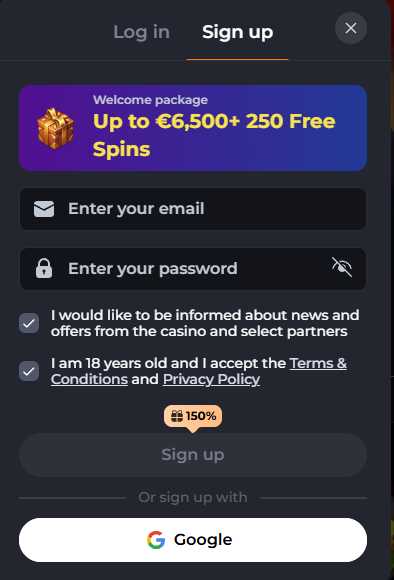
- Click Sign Up in the header.
- Enter your email and create a password — or continue with Google.
- Confirm you are 18+ and accept the Terms and Privacy Policy.
- Open the confirmation link sent to your email to activate the account.
- Complete your profile with accurate details to make later verification smooth.
How to log in
- Click Log In at the top of the site.
- Enter your registered email and password.
- Complete 2FA if you enabled it.
Login problems & access
- Forgot password: use “reset password” — a link goes to your registered email.
- Account locked / under review: usually a KYC or security check; contact support with your account email.
- 2FA device lost: support can restore access after verification.
- Site won’t load: Corgibet is restricted in some countries; if it’s geo-blocked in your region, access may be unavailable. Play only where permitted.
Before your first withdrawal you’ll need to verify your account — have a government photo ID and a recent proof of address ready (see payments & KYC).
Frequently asked questions
How do I create a Corgibet account?
Click Sign Up, enter your email and password (or use Google), confirm you are 18+, accept the terms and open the email confirmation link.
How do I reset my Corgibet password?
Click “forgot password” on the login screen; a reset link is sent to your registered email.
Why can’t I access Corgibet?
It may be geo-blocked — Corgibet is restricted in some countries. Check whether it is permitted where you are.